


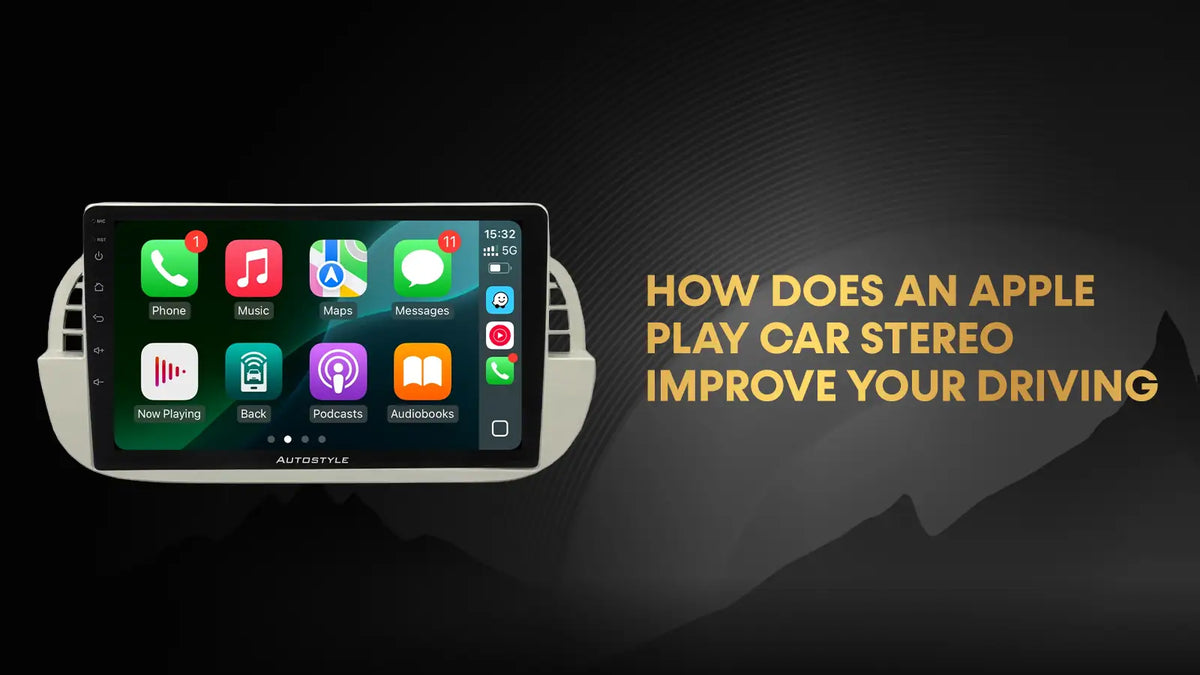
An Apple Play car stereo, more correctly called an Apple CarPlay stereo, improves your driving by putting navigation, calls, messages and music on the car’s own screen, controlled mostly by voice and steering wheel buttons. That means your phone stays out of your hand, your eyes stay closer to the road, and you stop fumbling with menus on an ageing factory stereo. It does not make driving risk-free, but used properly it makes the everyday jobs of driving simpler and safer. This guide explains how it works, what really changes behind the wheel, and what to check before you upgrade.
What Is an Apple Play Car Stereo?
An Apple Play car stereo is a head unit or car screen that supports Apple CarPlay. Apple CarPlay is a system that connects your iPhone to the car’s display and shows a simplified, driver-friendly version of your phone’s key apps. Think of it as your phone’s most useful features, rebuilt for a car dashboard.
People search for it under several names, including “apple play”, “carplay stereo” and “carplay screen”. They all refer to the same idea. The stereo can be fitted at the factory, added as a replacement unit, or added through an integration module that keeps your original screen.
How Does an Apple Play Car Stereo Work?
The process is straightforward:
- Connect. You plug your iPhone into the car with a cable, or connect wirelessly where the system supports it. Wireless CarPlay uses Bluetooth and Wi-Fi together.
- Display. The car screen shows a CarPlay home screen with large icons for maps, phone, messages, music and supported apps.
- Control. You operate it by touch, knobs, steering wheel buttons or Siri voice commands.
- Run on your phone. The apps actually run on your iPhone, so maps, music accounts and contacts are always the ones you already use.
That last point matters. Your car’s software does not need updating for the maps to stay current, because your phone does the work.
How Does an Apple Play Car Stereo Improve Your Driving?
1. Navigation is clearer and easier to follow
A larger screen with maps that update through your phone makes directions easier to read than a small, old factory sat nav. You can use Apple Maps, Google Maps or Waze, depending on what you prefer, and live traffic can help you avoid delays. Factory sat nav maps often need paid updates, whereas phone maps update automatically.
2. Calls become hands-free and simpler
You can answer, reject or place calls through the car’s speakers and microphone, using Siri or steering wheel buttons. GOV.UK states that it is illegal to hold and use a phone or any device that can send or receive data while driving, and the rule still applies when you are stopped at traffic lights or queuing. A system that lets you stay hands-free removes the temptation to pick the phone up.
3. Messages are read aloud and replied to by voice
Incoming texts can be read out, and you can dictate replies with Siri. You do not need to look at your phone at all, which is the whole point.
4. Fewer menus, fewer glances
Factory stereos often hide basic functions behind layers of menus. CarPlay uses one consistent layout with big, simple icons. Less searching means fewer and shorter glances away from the road.
5. Your music and podcasts are easy to reach
Apple Music, Spotify, podcasts and audiobooks all appear in one place. You can ask Siri to play something instead of scrolling a playlist.
6. Better audio and extra features on some units
A modern replacement stereo can offer clearer sound controls and better Bluetooth call quality than an older unit. Many also add inputs for a reverse camera or dash cam, which makes parking easier.
7. It keeps your phone in one safe place
When the phone is secured out of reach and everything runs through the car, there is less reason to touch it. This is the biggest practical benefit for most drivers.
What an Apple Play Car Stereo Does Not Do
It is worth being clear about the limits:
- It is not distraction-free. Hands-free is legal, but it is not risk-free. If a hands-free system distracts you for long periods, you can still be charged with driving without due care and attention, which can mean penalty points or even a ban.
- It needs an iPhone. Android users want Android Auto instead.
- It relies on your phone. If your phone has no data signal, streaming and live traffic will not work.
- A poor installation can ruin the experience. Cheap units with slow touchscreens or glitchy software can be more distracting than the stereo they replace.
Safe Habits When Using Apple CarPlay
- Set your destination and playlist before you move off.
- Use Siri for requests while driving, and avoid scrolling or typing.
- Switch on Do Not Disturb While Driving to cut notifications.
- Keep the screen at a sensible brightness to avoid glare at night.
- Pull over safely if you need to do anything complicated.
Types of Apple Play Car Stereo Compared
| Type | What it is | Best for | Things to know |
|---|---|---|---|
| Factory-fitted CarPlay | Built in by the manufacturer | Newer cars | Depends on the model and trim, so check the specification |
| Replacement head unit | A new stereo or screen fitted in place of the original | Older and mid-age cars without CarPlay | Replaces the original look and some features, so check compatibility |
| Integration module | A box that adds CarPlay to the existing factory screen | Premium cars where you want to keep the original look | Needs the right module for your car and model year |
| Wireless adapter | Converts wired CarPlay to wireless | Cars with wired CarPlay already | Convenient, but adds another device to the connection chain |
| Phone mount (not CarPlay) | Phone held in a cradle | Cars with no screen upgrade | A holder only, so you still operate the phone directly |
For premium cars where the original screen is a feature, look at CarPlay integration modules that add smartphone integration without replacing the factory display.
Factors to Consider Before You Upgrade
- Compatibility. The unit must fit your exact make, model and year. See this guide to Apple CarPlay screen compatibility before you buy.
- Keeping existing features. Check that steering wheel controls, reverse camera, parking sensors, DAB radio and climate controls still work after fitting.
- Wired or wireless. Wired is more stable and charges your phone. Wireless is neater but can disconnect and may drain the battery faster.
- Screen quality. Look for good brightness, an anti-glare finish and a responsive touchscreen.
- Installation. Wiring, trim and vehicle data connections are easy to get wrong. A professional installation, ideally with warranty cover, protects you from faults.
- Support. Choose a supplier with UK technical help in case something stops working.
- Cost. Prices vary a lot by car and system, so ask for a vehicle-specific quote.
Practical Uses in Everyday Driving
- Daily commute. Live traffic, calls and your morning podcast all in one place.
- Long journeys. Better navigation, music for the drive and easy rerouting.
- Family cars. Hands-free calls and Siri requests while the children are in the back.
- Business drivers. Quick access to calendar, calls and navigation between meetings.
- Parking. Pairing with a reverse camera helps with tight spaces, and you can read more about adding a reverse camera to your car.
Common Problems and Fixes
| Problem | Likely cause | What to try |
|---|---|---|
| CarPlay will not connect | Faulty cable or port | Try a certified cable and a different USB port |
| Connection drops | Loose cable or wireless interference | Reconnect, restart the phone, update iOS |
| No sound | Wrong audio source | Check the stereo source and volume |
| Poor call quality | Microphone placement | Reposition or upgrade the microphone |
| Laggy screen | Cheap hardware or software issue | Update firmware, consider a better unit |
| Black screen | Power or connection fault | Restart the unit and check the wiring |
Common Questions People Ask
Is Apple Play the same as Apple CarPlay?
Yes. “Apple Play” is a common shorthand. The official name is Apple CarPlay.
Does Apple CarPlay use mobile data?
Yes. Maps, streaming and online features use your phone’s data connection, so it helps to have a suitable plan.
Can I add CarPlay to an older car?
Usually, yes. A replacement stereo or an integration module can add it. The right option depends on your car’s make, model and year.
Is it legal to use CarPlay while driving?
Using a fixed, hands-free system is generally allowed. Holding and using a phone while driving can bring six penalty points and a £200 fine. You must still keep full control of the vehicle.
FAQs
1. Is wired or wireless CarPlay better?
Wired is more reliable and keeps your phone charged. Wireless is more convenient for short trips but can disconnect and use more battery.
2. Will an Apple Play car stereo work with my Android phone?
No. CarPlay is for iPhones. Android phones use Android Auto, and many aftermarket units support both.
3. Will I keep my steering wheel controls and reverse camera?
Often yes, but it depends on the unit and the wiring interface used. Always confirm this with the supplier before buying.
4. Does CarPlay drain my phone battery?
It can, especially with wireless connection, GPS and streaming together. A wired connection usually charges the phone as you drive.
5. How long does installation take?
Many installs take a couple of hours, though complex cars can take longer. Ask your installer for an estimate.
6. Can I fit a CarPlay stereo myself?
It is possible, but car wiring, trim and data connections can be tricky and can affect other systems. A professional fit is safer and keeps your warranty intact.
Key Takeaways
- An Apple Play car stereo is Apple CarPlay, which brings your iPhone’s key driving apps to the car screen.
- Its main benefits are clearer navigation, hands-free calls and messages, simple menus and easy audio.
- It is not distraction-free, so set things up before you drive and use voice control.
- Holding a phone while driving is illegal in Great Britain, and hands-free is the lawful alternative.
- Choose between factory, replacement stereo, integration module or wireless adapter based on your car.
- Check compatibility, retained features, screen quality and installation support before buying.
Also Read: What Does a Wireless CarPlay Adapter Actually Do for Drivers?
Conclusion
An Apple Play car stereo improves your driving by making navigation, calls, messages and music easier to use without touching your phone. It works best when it suits your car, is fitted properly and is used with sensible habits. If you are weighing up an upgrade, compare factory, replacement and integration options carefully, and choose a supplier that offers vehicle-specific advice and support. For drivers who want an Apple Play car stereo fitted with a clean, factory-style finish, Autostyle offers CarPlay upgrades and installation across the UK.


